Mobile App
The Orochia app for iOS and Android as it runs today, on the iOS simulator and the Android emulator against dev.orochia.com and a local Orochia: every screen, how it signs in, how to run it, its tests — and what is not done yet (a phone, TestFlight, push).
The app is krizaka/orochia-mobile: Expo SDK 57, React Native 0.86,
Expo Router. It is a client of the Orochia API — the same server, the same rules as orochia.com: access, prices,
balances and moderation are decided by the server, the app shows what it answers.
What this page describes was run on 2026-10-12 on the iOS 27 simulator (iPhone 17, Xcode 27) and the Android 16
emulator (Pixel 8 image), signed in against dev.orochia.com and against a local Orochia on its development seed.
Nothing here is a mock-up.
| Platform | State |
|---|---|
| iOS simulator (iOS 27) | ✅ builds and runs — every screen below, dark and light |
| Android emulator (Android 16) | ✅ development build runs — home, stories, sign-in, account, challenges; an APK is also built by CI on each v* tag (releases) |
| iPhone / TestFlight | ❌ waiting for the Apple Developer activation and an Expo (EAS) account |
| Push notifications | ❌ code in place, needs an EAS project id (and APNs / FCM keys) |
1. What the app does today
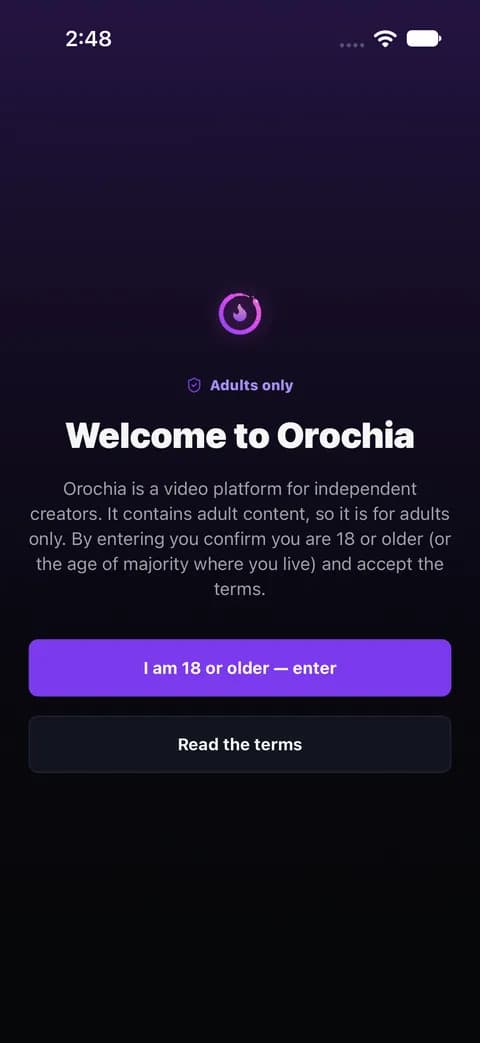
The 18+ gate
On a fresh install, before anything else: Orochia is for adults, leaving is one tap. The answer is kept on the device.
Home — stories and the feed
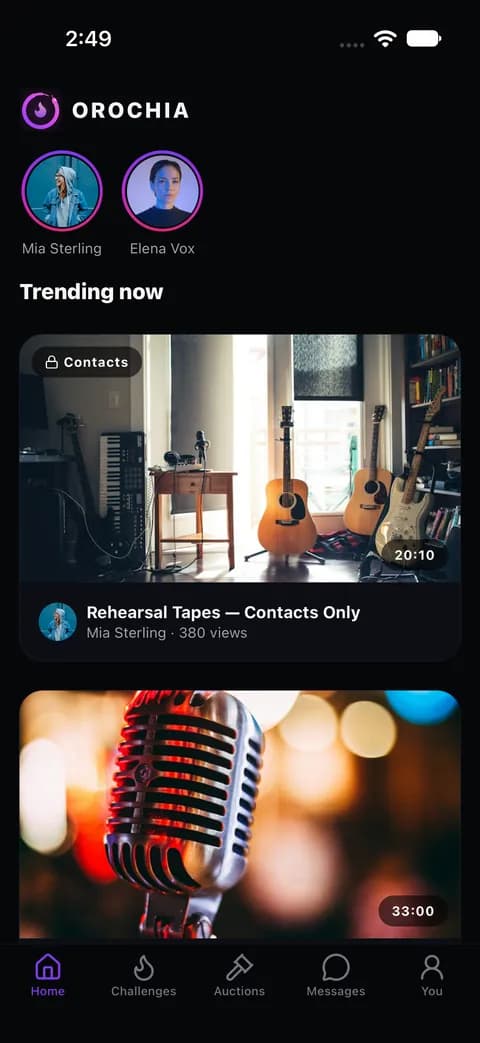
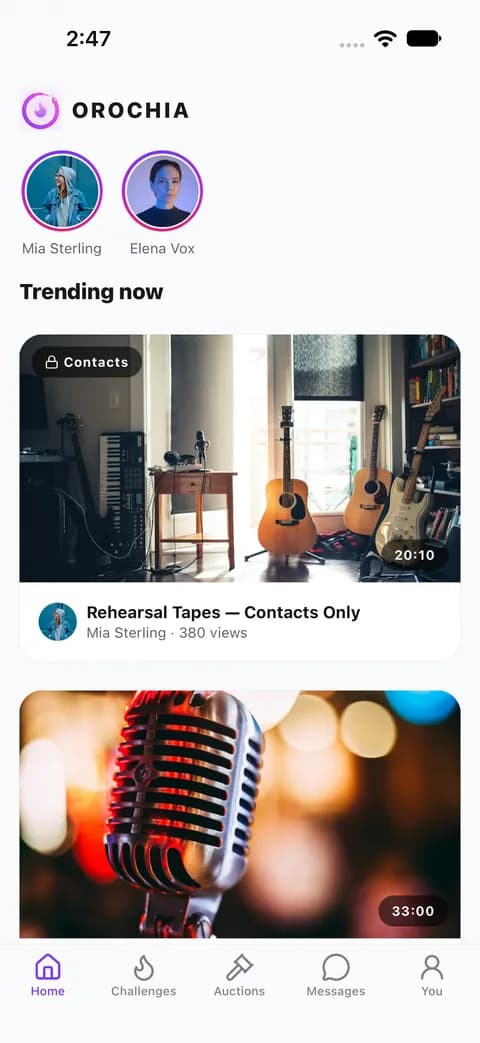
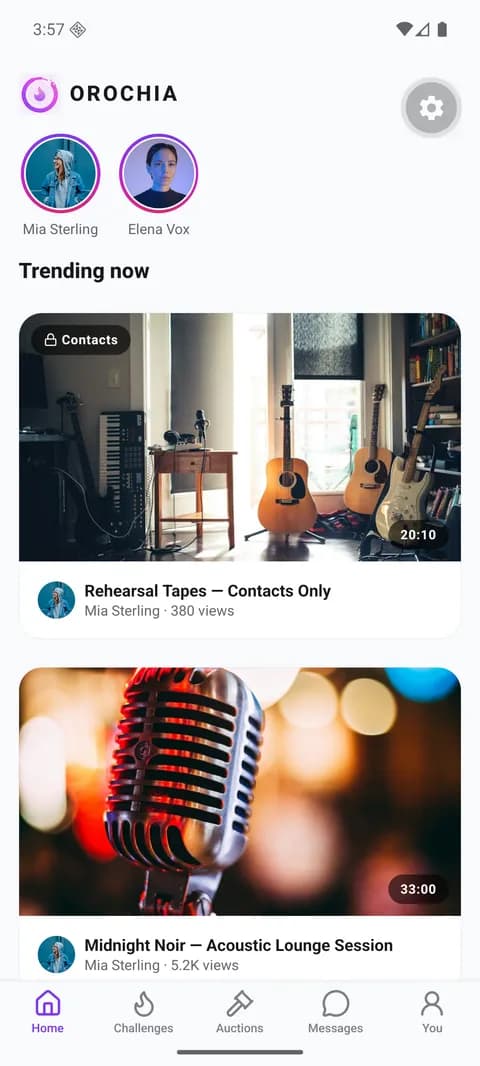
The stories of the creators the viewer may see (a ring per creator, unseen ones in the signature gradient), then the
feed (GET /api/feed, GET /api/stories). A tile shows the poster, the duration, the creator, the views and what the
video asks (contacts only, approved followers, unlock). Pull to refresh. Signed out, the public feed is shown.
A story, full screen
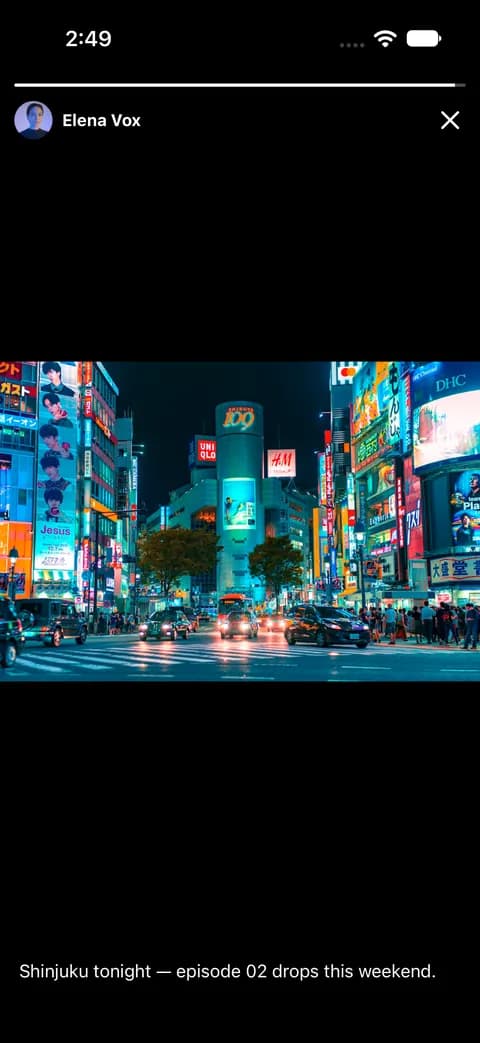
A tap on a ring opens the creator's stories: progress bars, tap right for the next one, left for the previous, the
cross to leave. Each story shown is marked viewed (POST /api/stories/<id>/view); an image story lasts 5 seconds,
then the next one — and the next creator's — follows.
Watch
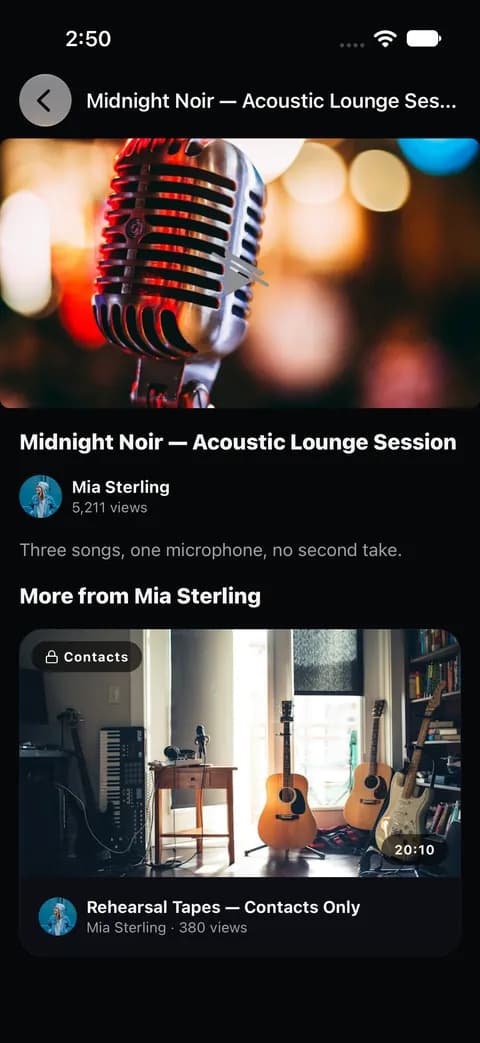
A video's page (GET /api/videos/<id>/details): the player, the title, the creator, the description and more from
the same creator. The player plays only what GET /api/videos/<id>/stream answers, signed for the viewer — never a
raw media URL. With the development seed, whose videos have no real media, the player shows the poster: playback of a
real video was not part of this run.
Challenges, auctions, messages
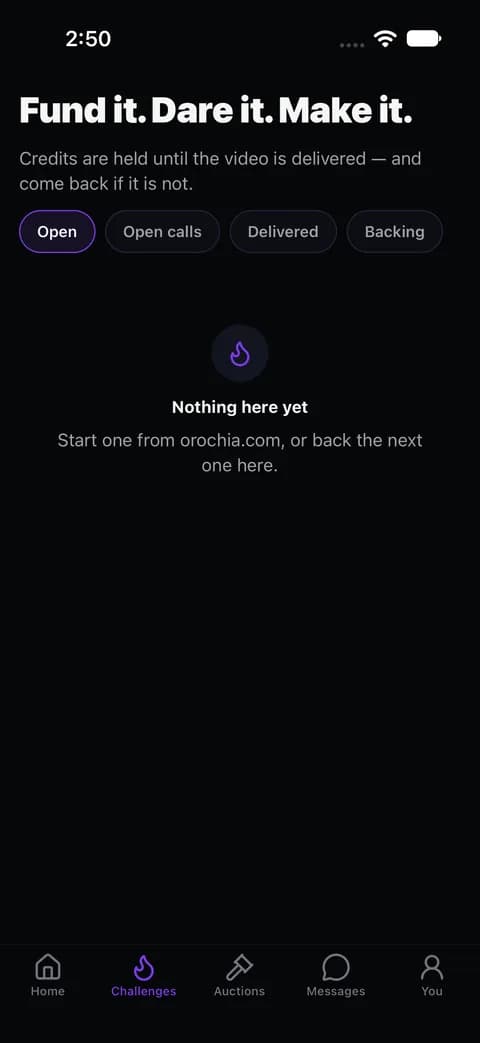
Three tabs read their lists from the API (/api/challenges, /api/auctions, /api/conversations) and open a
challenge (pledge), an auction (bid) or a conversation (live: presence, typing, receipts). In this run the server had
none open, so each tab shows its empty state.
You — sign in, wallet, earnings, notifications
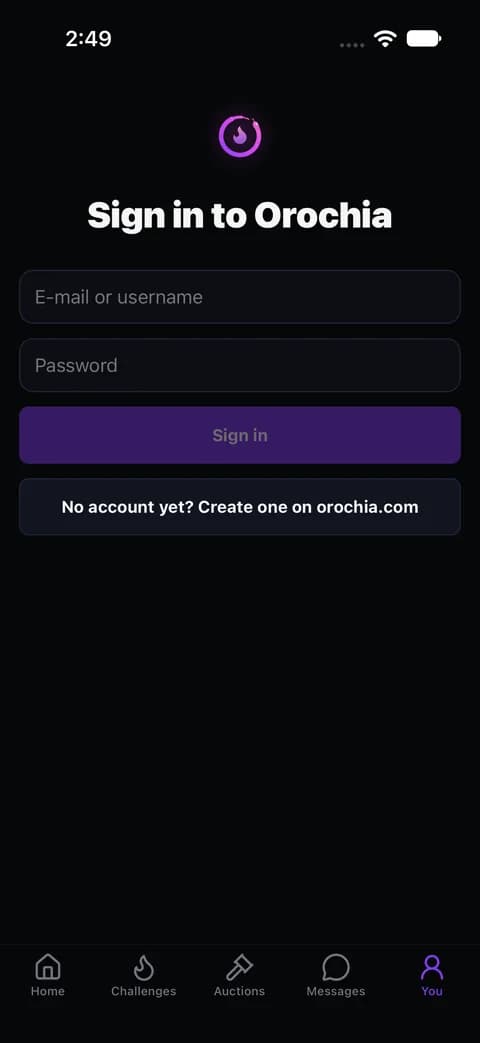
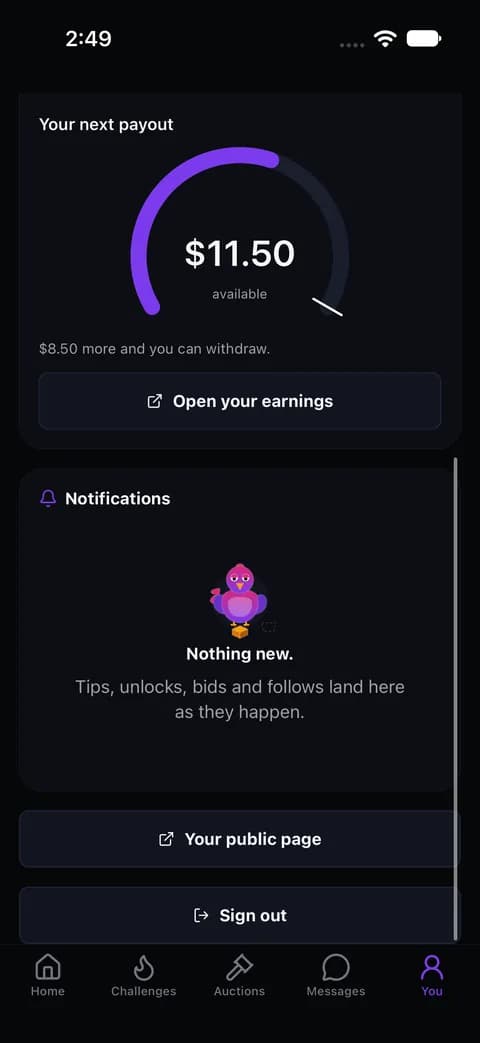
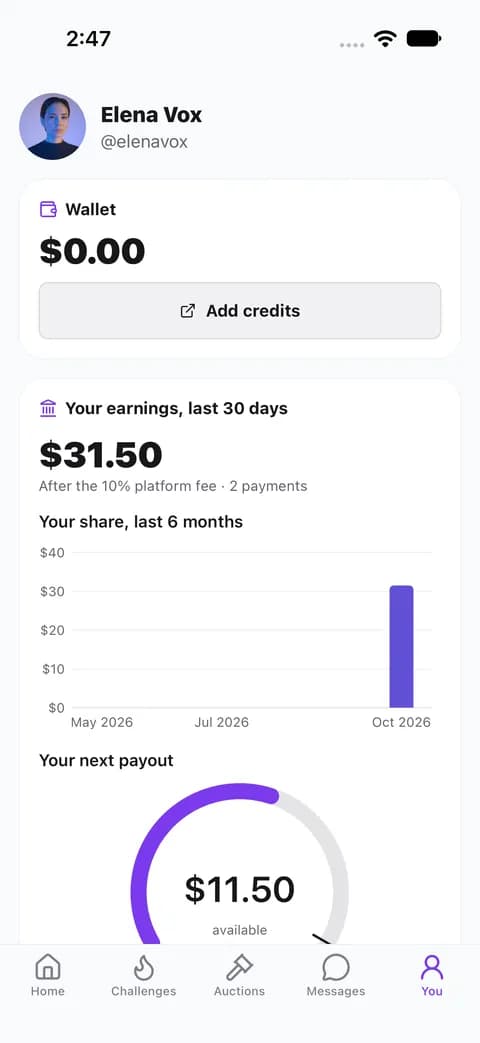
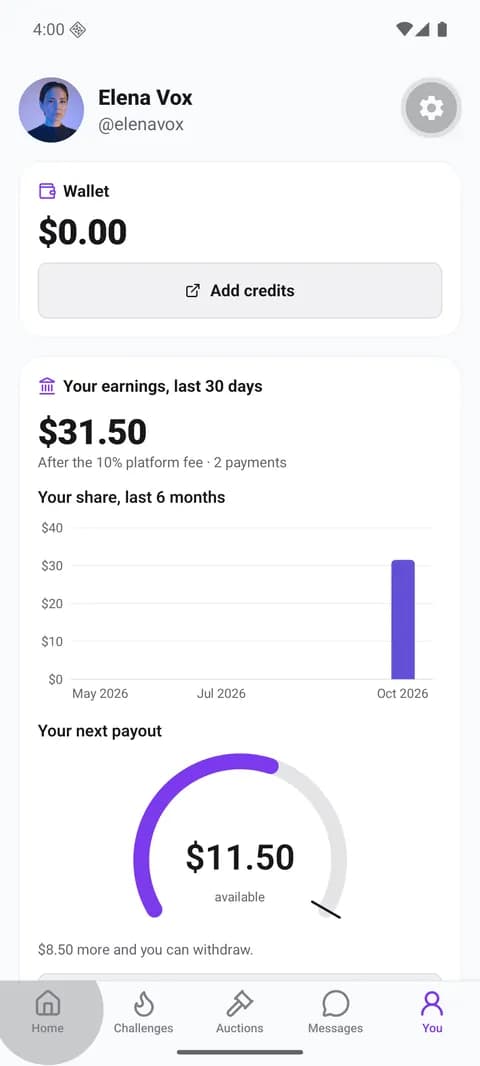
Sign in with an e-mail or a username and the password. Signed in: the wallet (credits, what is held in bids and pledges; credits are bought on the web), a creator's earnings over 30 days (charts), the notifications, the public page and sign-out.
On Android (development build, Android 16 emulator, local seed):
A short recording of the smoke run (18+ gate → sign in → account → feed): ios-smoke.mp4.
2. How it signs in
| Step | What happens |
|---|---|
| Sign in | POST /api/auth/login with client: "native" → the server answers a signed session token (the same one the web keeps in an httpOnly cookie) |
| Keep it | the token goes to the device's secure storage only (expo-secure-store: Keychain on iOS, Keystore-backed on Android) — never plain storage, a log or a URL |
| Use it | every call carries Authorization: Bearer <token>; the account is read from GET /api/auth/me |
| Lose it | a 401 on a signed-in call drops the stored session; an account whose e-mail is not verified is treated as signed out, like on the web |
| Sign out | the push token is forgotten on the server (DELETE /api/me/devices), then the session |
While signed in and in the foreground, one live stream (/api/conversations/stream, Server-Sent Events with the
bearer session) shows toasts and moves the badges; in the background, push (see
Notifications). Payments stay on the web, in the provider's checkout: the app never collects
card details.
3. Run it on a simulator
Requirements: macOS with Xcode 27 and its iOS simulator runtime (xcodebuild -downloadPlatform iOS), CocoaPods
(brew install cocoapods), Node 22.
git clone https://github.com/krizaka/orochia-mobile && cd orochia-mobile
npm ci
# The API the app talks to (read at build time); without it, https://dev.orochia.com.
export EXPO_PUBLIC_OROCHIA_URL=http://localhost:3000   # a local Orochia (the simulator shares the Mac's network)
npx expo run:ios                                       # prebuild, pods, build, install, Metro
ios/ and android/ are generated (Continuous Native Generation) — configure the app in app.json and its plugins,
never in the generated folders. A Release build (no Metro, the bundle inside the app) is
npx expo run:ios --configuration Release.
iOS 27 requires the scene life cycle. An app built with the iOS 27 SDK is stopped at launch unless it adopts
UIScene. Expo SDK 57 ships the scene delegate but its template does not use it yet: the app's
plugins/with-scene-lifecycle.js applies it at prebuild (to remove with Expo SDK 58, whose template does).
Against a local Orochia: start it (see Getting Started) and sign in with a seeded account
(npm run db:seed prints them). The seed gives a feed, stories and a creator's earnings.
Android: install the Android SDK with an emulator image (e.g. brew install --cask android-commandlinetools, then
sdkmanager "platform-tools" "emulator" "platforms;android-36" "system-images;android-36;google_apis;arm64-v8a" and
an AVD), a JDK (17 or 21), then npx expo run:android. The emulator reaches the Mac at 10.0.2.2
(EXPO_PUBLIC_OROCHIA_URL=http://10.0.2.2:3000 for a local Orochia; a development build allows plain HTTP). On a
phone, the APK attached to each release installs directly
(signed with a debug key, not for a store).
4. Tests
| What | Where | |
|---|---|---|
| Unit | money and time formatting, the challenge and auction presenters, message ordering, the API client (bearer, refusals, 401), useApi | src/lib/__tests__ |
| Render | the tiles; Home (feed, stories rail, the story viewer, empty, unreachable) and You (native sign-in, wrong password, unverified e-mail, stored and expired sessions, sign-out) on API responses recorded from a local Orochia and dev.orochia.com | src/__tests__, fixtures in src/__fixtures__/api |
| Build | the iOS 27 scene plugin against the SDK 57 template | plugins/__tests__ |
| Smoke | Maestro: 18+ gate → sign in → account → feed, on a simulator | .maestro/smoke.yaml |
CI (.github/workflows/ci.yml) runs lint, type-check, the tests and the iOS and Android bundles on every pull
request. The Maestro flow runs on a Mac with a simulator:
maestro test .maestro/smoke.yaml -e OROCHIA_ID=<e-mail or username> -e OROCHIA_PASSWORD=<password>5. What is missing
- On a phone: TestFlight needs the Apple Developer activation and an Expo (EAS) account; a release-signed Android build needs an EAS keystore. Apple and Google refuse sexually explicit apps in their stores: TestFlight internal testers is the way for now.
- Push: the code registers the Expo push token at sign-in; it needs an EAS project id, the APNs key (iOS) and the Firebase service account (Android).
- Android: a run on a phone, and a release-signed build.
- Video playback: proven only up to the player; a run with real media (a creator's uploaded video) is still to do.
- Stories: the web viewer's sound, gestures, actions and the "processing" state are not in the app yet (orochia-mobile#3).
- Uploading: creators publish from the web; the app watches, pays, bids, pledges and talks.